XTRAC User Guide

|
XTRAC User Guide |
|
For each work item, XTRAC maintains a work history. To access the Work Item History section, click  .
.
Each time you or the system performs an action on a work item, XTRAC records the action as an event in the work history. You can view a work item’s work history to see if an event has occurred. Events include:
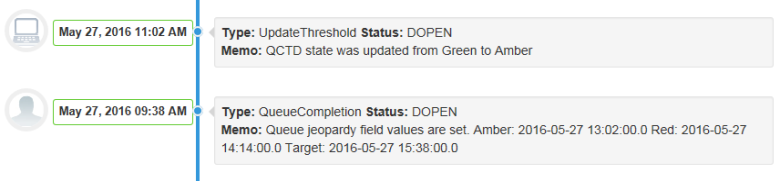
The left side of the Work Item History section displays the date and time, and the name of the system process or user that initiated an event. The right side displays the node and queue, the event type, the status, the status type, and a memo (if a memo was added when the event was initiated).
| Items | Description |
|---|---|

|
Move back to the top of the Work Item pane. |
XTRAC Community |

|